
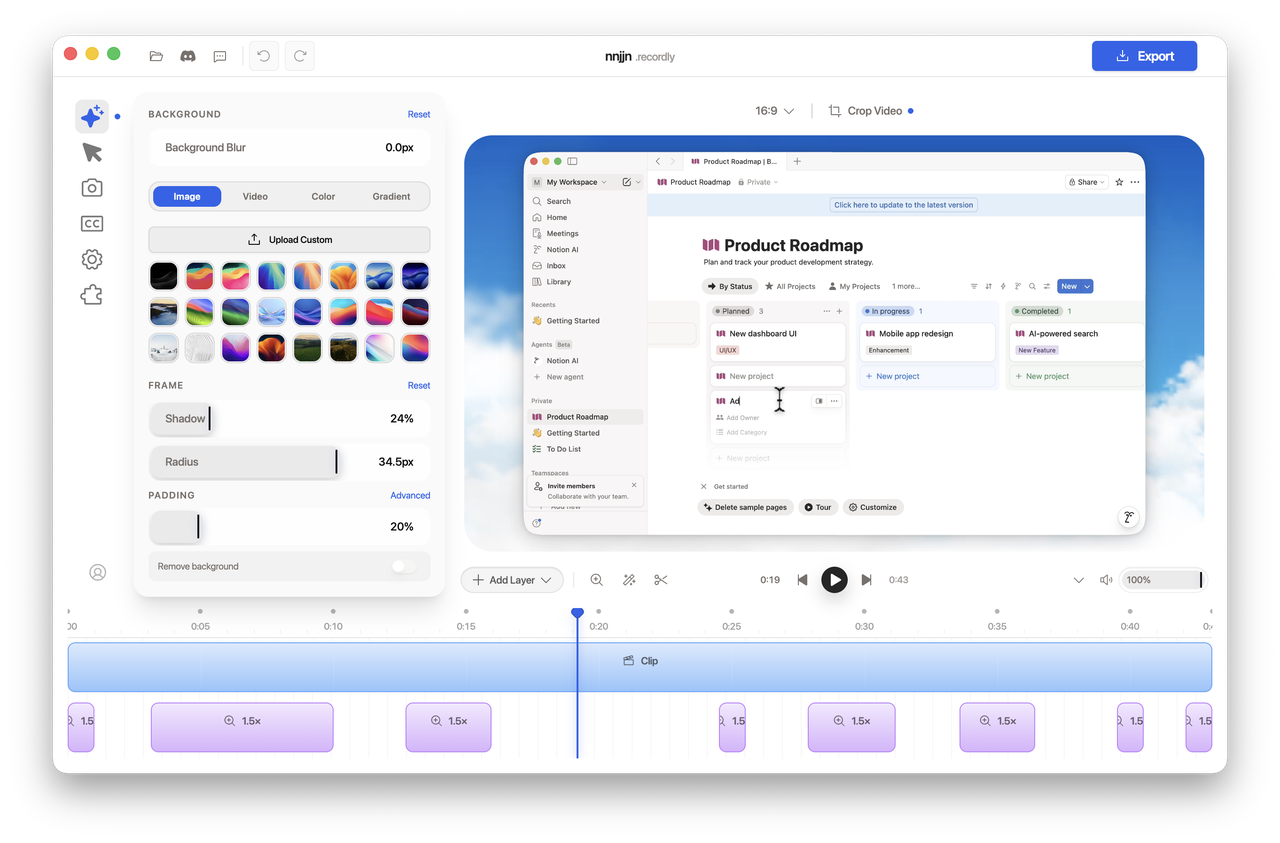
Recordly is your open-source screen recorder and editor for walkthroughs, demos, product videos, and more. Accepting PRs. Recordly is a desktop app for recording and editing screen captures with motion-driven presentation tools built in. Instead of sending raw footage to a motion designer just to add zooms, cursor polish, or a styled background, Recordly handles that workflow in one place for free. Recordly can automatically emphasize activity with zoom suggestions, smooth cursor movement, add motion effects, and place the final composition inside a styled frame with wallpapers, colors, gradients, blur, padding, and shadows.
Language: EN | 简中


Create polished demo videos in minutes
Recordly is your open-source screen recorder and editor for walkthroughs, demos, product videos, and more. Accepting PRs.
Backed by the community
What is Recordly?
Recordly is a desktop app for recording and editing screen captures with motion-driven presentation tools built in. Instead of sending raw footage to a motion designer just to add zooms, cursor polish, or a styled background, Recordly handles that workflow in one place for free.
Recordly runs on:
- macOS 14.0+
- Windows 10 Build 19041+
- Linux on modern distros
Platform notes:
- macOS uses native ScreenCaptureKit-based capture helpers.
- Windows uses a native Windows Graphics Capture (WGC) helper on supported builds, with native WASAPI audio support.
- Linux records through Electron capture APIs. Cursor hiding is not supported on Linux today.
Core Features
Auto-zooms, cursor polish, and styled frames
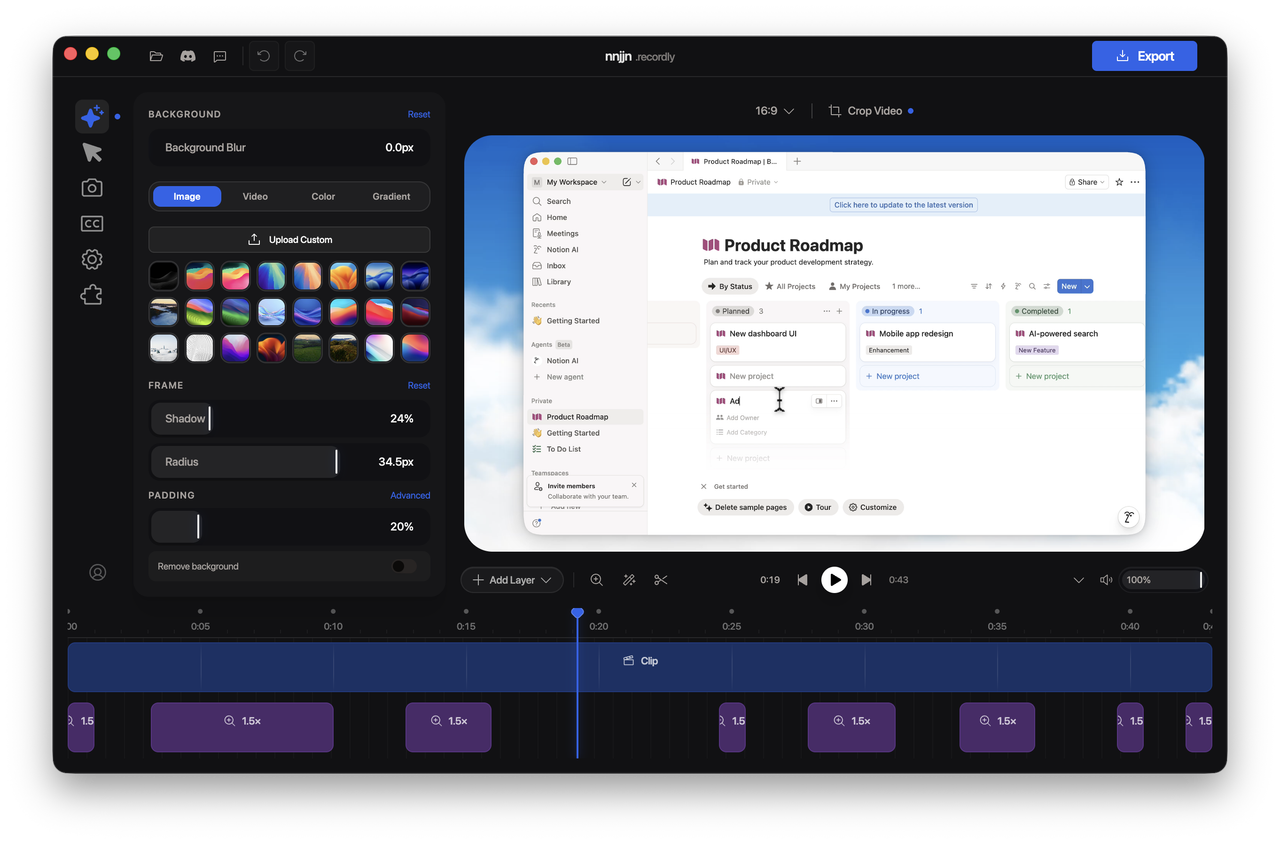
Recordly can automatically emphasize activity with zoom suggestions, smooth cursor movement, add motion effects, and place the final composition inside a styled frame with wallpapers, colors, gradients, blur, padding, and shadows.

Dynamic webcam bubble overlays
Add webcam footage as an overlay bubble, position it with presets or custom coordinates, mirror it, control shadow and roundness, and optionally make it react to zoom so it stays visually balanced during motion.

Timeline editing built for demos
Use drag-and-drop timeline tools for zooms, trims, speed regions, annotations, extra audio regions, and crop-aware edits. Save and reopen work as .recordly project files.
Extensions & Marketplace
Recordly has a community-driven extension system. Anyone can build and publish extensions that add new capabilities to Recordly — cursor click sounds, device frames, browser mockups, wallpapers, render hooks, settings panels, and more.
Browse and install community extensions from the Recordly Marketplace.
All Features
Recording
- Record an entire display or a single app window
- Jump directly from recording into the editor
- Capture microphone audio and system audio
- Use native capture backends where supported
- Resume editing from saved
.recordlyproject files - Open existing recordings or existing project files from the app
Timeline and Editing
- Drag-and-drop timeline editing
- Trim unwanted sections
- Add manual zoom regions
- Use automatic zoom suggestions based on cursor activity
- Add speed-up and slow-down regions
- Add text, image, and figure annotations
- Add extra audio regions on the timeline
- Crop the recorded frame
- Save and reopen projects with editor state preserved
Cursor Controls
- Show or hide the rendered cursor overlay
- Cursor size adjustment
- Cursor smoothing
- Cursor motion blur
- Cursor click bounce
- Cursor sway
- Cursor loop mode for cleaner looping exports
- macOS-style cursor assets for the rendered overlay
Webcam Overlay
- Enable or disable webcam overlay footage
- Upload, replace, or remove webcam footage
- Mirror webcam footage
- Size control
- Preset positions and custom X/Y placement
- Margin control
- Roundness control
- Shadow control
- Optional zoom-reactive webcam scaling
Frame Styling and Backgrounds
- Built-in wallpapers
- Runtime wallpaper discovery from the wallpapers directory
- Custom uploaded backgrounds
- Solid color backgrounds
- Gradient backgrounds
- Frame padding
- Rounded corners
- Background blur
- Drop shadows
- Aspect ratio presets for the final frame
Export
- MP4 export
- GIF export
- Export quality selection
- GIF frame-rate selection
- GIF loop toggle
- GIF size presets
- Aspect ratio and output dimension controls
- Reveal exported files in the system file manager
Workflow and Usability
- Customizable keyboard shortcuts
- In-app shortcut reference
- Feedback and issue links from the editor
- Project persistence for editor preferences
- Faster preview recovery after export
Screenshots
Installation
Download a build
Prebuilt releases are available at:
https://github.com/webadderallorg/Recordly/releases
Arch Linux / Manjaro (yay)
Install from the AUR (recordly-bin):
yay -S recordly-bin
PKGBUILD, desktop entry, release sync, and optional local-from-source packaging live in recordly-aur so this repository stays free of Arch release chores. For maintainer contact and how the package is updated, see that repo or the AUR package page.
Build from source
Prerequisites
macOS: Xcode Command Line Tools (xcode-select --install).
Linux (Ubuntu/Debian):
sudo apt install build-essential cmake libx11-dev libxtst-dev libxrandr-dev libxt-dev
Windows: Visual Studio 2022 (or Build Tools) with the C++ workload and CMake.
Steps
git clone https://github.com/webadderallorg/Recordly.git recordly
cd recordly
npm install
npm run dev
For packaged builds:
npm run build
Target-specific build commands are also available:
npm run build:macnpm run build:winnpm run build:linux
macOS: "App cannot be opened"
Locally built apps may be quarantined by macOS.
Remove the quarantine flag with:
xattr -rd com.apple.quarantine /Applications/Recordly.app
System Requirements
| Platform | Minimum version | Notes |
|---|---|---|
| macOS | macOS 14.0 (Sonoma) | Required for ScreenCaptureKit audio and microphone capture. |
| Windows | Windows 10 20H1 (Build 19041, May 2020) | Required for the native Windows Graphics Capture (WGC) helper and best cursor-hiding behavior. |
| Linux | Any modern distro | Recording works through Electron capture. System audio generally requires PipeWire. |
[!IMPORTANT] On Windows builds older than 19041, recording can still work through fallback capture, but the real OS cursor may remain visible in recordings.
Usage
Record
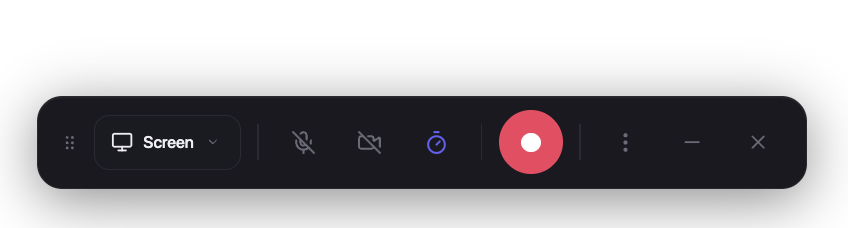
- Launch Recordly.
- Select a screen or window.
- Choose microphone and system-audio options.
- Start recording.
- Stop recording to open the editor.
Edit
Inside the editor you can:
- add trims, zooms, speed regions, and annotations
- tune cursor behavior and preview volume
- style the frame with wallpapers, colors, gradients, blur, padding, and corners
- add or adjust webcam overlay footage
- add extra audio regions
- crop the frame and choose an aspect ratio
Save your work anytime as a .recordly project.
Export
Export options include:
- MP4 for standard video output
- GIF for lightweight sharing and loops
You can adjust format-specific settings such as quality, GIF frame rate, GIF looping, and output size before export.
Limitations
Cursor capture
Recordly renders a polished cursor overlay on top of the recording. Platform cursor-hiding behavior still depends on OS support.
macOS
- ScreenCaptureKit can exclude the real cursor cleanly.
Windows
- Best results require Windows 10 Build 19041+ and the native capture helper.
- Older builds fall back to Electron capture, so the real cursor may remain visible.
Linux
- Electron desktop capture does not currently support cursor hiding.
- If you also enable the rendered cursor overlay, exports may show both the real cursor and the styled cursor.
System audio
System audio support varies by platform.
Windows
- Native WASAPI support
Linux
- Usually requires PipeWire
macOS
- Requires macOS 14.0+ and the ScreenCaptureKit-based workflow
How It Works
Recordly combines a platform-specific capture layer with a renderer-driven editor and export pipeline.
Capture
- Electron coordinates recording and application flow
- macOS uses native ScreenCaptureKit helpers
- Windows uses a native Windows Graphics Capture (WGC) helper and native audio helpers where available
Editing
- Timeline regions define zooms, trims, speed changes, audio overlays, and annotations
- Cursor and webcam styling are applied in the editor state
Rendering
- Scene composition is handled by PixiJS
Export
- The same scene logic used in preview is rendered into exported MP4 or GIF output
Projects
.recordlyfiles store the source media path plus editor state so work can be reopened later
Contribution
Contributions are welcome.
Areas where help is especially useful:
- Linux capture and cursor behavior
- Export performance and stability
- UI and UX refinement
- Localisation work
- Additional editor tools and workflow polish
Please keep pull requests focused, test recording/edit/export flows, and avoid unrelated refactors.
See CONTRIBUTING.md for guidelines.
Community
Bug reports and feature requests:
https://github.com/webadderallorg/Recordly/issues
Pull requests are welcome.
Hall of Supporters

- Tom Egan @tomegan on X
- Robin Ebers @robinebers on X
- Tadees
- buildwithfur
- piccinato
- Tobias
- Anonymous Supporter
- Tandava Appadoo
- Digitalfastmind
- Roberto Marcelino
- Tony
- Rajan RK
- Francesco
- Erwan
- Anonymous supporter
License
Recordly is licensed under the AGPL 3.0.
Credits
Acknowledgements
Recordly originally started as a fork of OpenScreen. Over 80% of code has diverged since. Many features of OpenScreen such as its zoom animations are directly ported from early versions of Recordly.
Created by
@webadderall
Videos
Create Beautiful Screen Recordings for FREE | Recordly Full Tutorial & Features
TechkySkills · 1K views
What people are saying
“Hide system cursor — **Is your feature request related to a problem? Please describe.** Platform: Windows 11 Currently the cursor that gets added by Recordly is not perfectly aligned with the system cursor (especially wi…”
GH↑ 2FadiNahhas↗
“The place to discuss product direction, features, issues, etc informally — 👋 Welcome! We’re using Discussions as a place to connect with other members of our community. We hope that you: * Ask questions you’re wonde…”
GH↑ 3webadderall↗
“No sound during software recording; unable to capture computer audio. — software cannot record built-in computer audio, meaning sounds generated by the computer's own software, such as music playback, videos, and similar…”
GH↑ 2kmsm777↗
“Native Windows capture is unavailable. Falling back to browser capture. — Native Windows capture is unavailable. Falling back to browser capture.”
GH↑ 2Zykoy12345↗
“Version number — Currenly installed v1.1.0. But looking at the App, it's still v1.0”
GH↑ 2AminudinMurad↗
“In Hungary, Orbán's Opposition Party Recordly Increased Its Lead Before Elections - Наша Ніва — Наша Ніва”
NEWSНаша Ніва↗
“Curious how this compares to Recordly (https://recordly.dev)”
HNmjmsmith↗
You might also like
Web
obscura
Lightweight, stealthy, and built in Rust. Obscura is a headless browser engine written in Rust, built for web scraping and AI agent automation. It runs real JavaScript via V8, supports the Chrome DevTools Protocol, and acts as a drop-in replacement for headless Chrome with Puppeteer and Playwright. Designed for automation at scale, not desktop browsing.
Web
MiMo Code
Web
Kami
Kami (紙, かみ) means paper in Japanese: the surface where a finished idea lands. AI can produce documents better than most humans do manually. The missing piece is not capability but constraint: without a design system, every session drifts into generic gray and inconsistent layouts. Kami fills that gap: one constraint language, nine templates, simple enough for agents to run reliably, strict enough that every output is something you actually want to ship. English and Chinese are first-class; Japanese and Korean work via best-effort CJK paths with visual QA before delivery. Part of a trilogy: Kaku (書く) writes code, Waza (技) drills habits, Kami (紙) delivers documents.
Web
free code
All telemetry stripped. All guardrails removed. All experimental features unlocked. One binary, zero callbacks home. Checks your system, installs Bun if needed, clones the repo, builds with all experimental features enabled, and symlinks free-code on your PATH. Then run free-code and use the /login command to authenticate with your preferred model provider.